
Smart Switch Wiring: What to Check Before You Buy
26.10.2026

Quick answer: Before buying a smart switch, have an electrician confirm the supply, neutral availability, connected load, circuit arrangement and mounting space. Match these findings to the exact product instructions. App control does not replace electrical isolation or installation checks.
Why a wiring survey comes before product selection
A conventional switch position does not automatically contain every conductor required by a connected control. The existing cable arrangement, the way the lighting circuit was installed and the function of the original switch all affect the replacement choice.
Prepare a schedule identifying each lighting circuit and its control positions. Record whether one light is controlled from one location or several, whether dimming is required and which lamp or driver is connected. The electrician should identify the actual circuit rather than infer it from the appearance of the old faceplate.
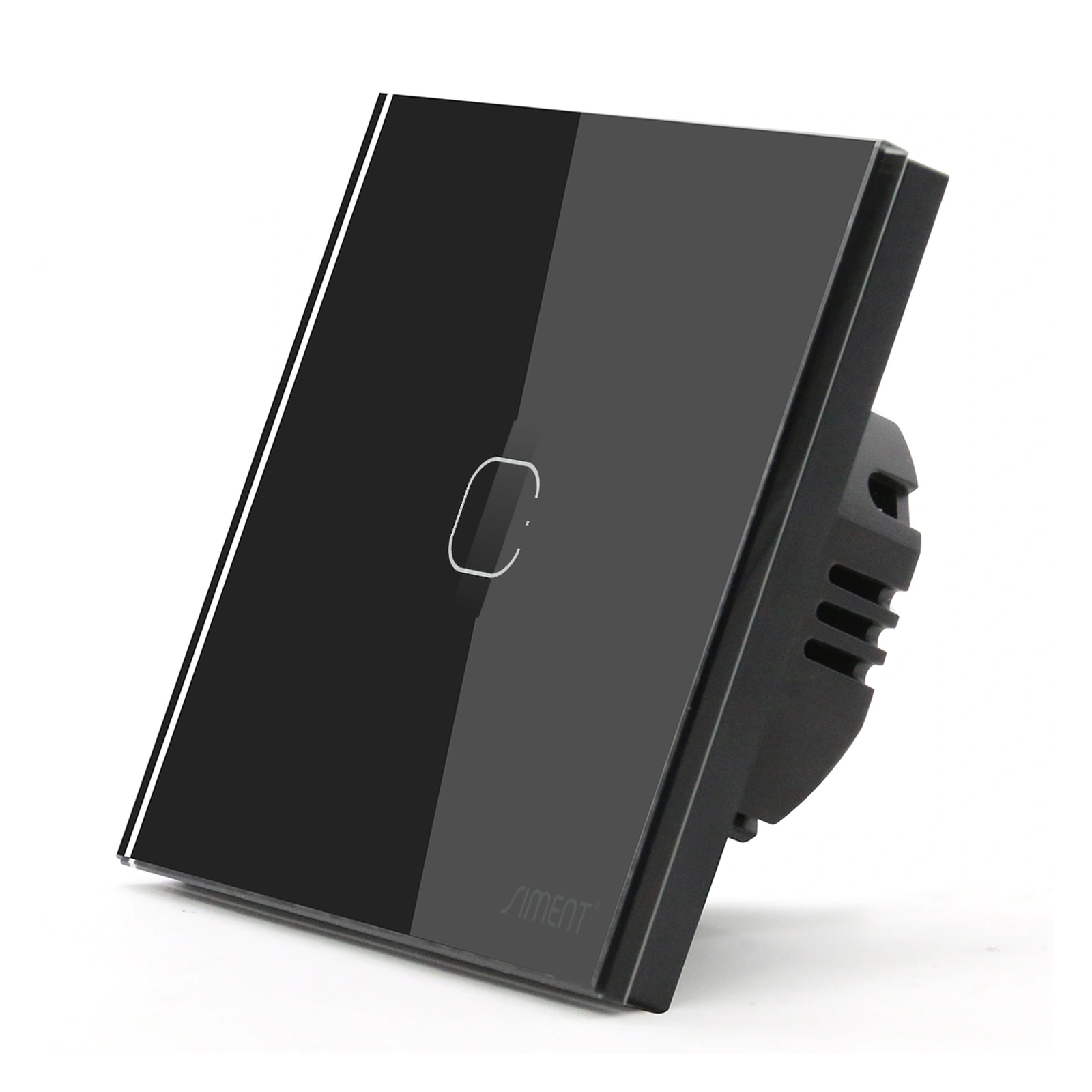
For Siment TouchLight Wi-Fi Switch 1 Gang and Piano 1-Gang Zigbee Push-Button Switch, the published configurations require neutral. Confirm that requirement at every intended position before ordering a batch for the project. One inspected room does not establish the wiring in every room.
Line, neutral, load and protective earth have different roles
Line supplies the control or circuit. The switched output supplies the assigned load according to the device design. Neutral provides the return path required by neutral-powered electronics. Protective earth provides its separate safety function and must never be substituted for neutral.
Wire colours alone do not prove conductor function, particularly in altered or older installations. Identification and verification belong to a qualified electrician using suitable procedures. Never connect a conductor based only on its colour or on an assumed similarity to another room.
A wall control set to off is not a means of proving safe isolation. Remote commands and automation also introduce additional operating paths. Electrical work requires proper isolation and verification under the applicable professional procedures, not simply turning the light off in an app.
Selection at a glance
| Survey item | What the installer must establish |
|---|---|
| Supply and circuit | Actual circuit identity and supported supply |
| Neutral | Availability at each neutral-required device |
| Load | Lamp/driver model, type, quantity and permitted limits |
| Control locations | Supported one-location or multi-location arrangement |
| Wall box | Depth, conductor space and mounting compatibility |
| Recovery | Supported behavior after supply and network interruption |
Check the load as a system
List the actual lamps and drivers on each channel, including quantity and operating type. A relay switch, a phase-control dimmer and a low-voltage LED controller are different devices. The communication protocol does not change the output topology.
For LED loads, confirm permitted LED capacity, startup behavior and driver compatibility. Do not divide a headline switch rating by lamp wattage and treat the result as the allowed lamp count. Driver inrush and repetitive current must be considered by the designer.
For fans, motors and other non-lighting loads, use only controls whose documentation supports the intended load. A lighting output must not be assumed suitable for a motor because its steady current appears low. Contact requirements and starting conditions are part of the selection.

Check multiple control locations and box capacity
A circuit operated from multiple locations requires an arrangement supported by the chosen product. Conventional multi-way wiring and smart scene control are not interchangeable concepts. Define which device switches the load and what each additional control sends or switches.
Document the supported arrangement before removing the original controls. A scene controller can command a destination only when the integration and operating mode support that action. It must not be treated as a drop-in electrical replacement for every conventional multi-way circuit.
Check enclosure depth, cable space, terminal access, mounting centres and compatible frame parts. The outside face dimension does not describe the space behind the wall. Keep conductors and connections within the arrangement specified by the product and applicable installation requirements.
Commission the installation in a fixed order
After professional electrical verification, test local wall operation first. Confirm the correct circuit, each gang and the intended load response. Then commission network access and test app commands, status reporting and automation separately.
Name the device according to its floor, room and circuit. Verify supported power-restoration behavior through a controlled test. Disconnect the internet connection while leaving the local system powered to establish which functions operate locally.
At handover, retain the product reference, circuit mapping, gateway details and observed recovery behavior. Keep installation instructions accessible for maintenance. Do not publish account passwords or network credentials in the project documentation shared with occupants or visitors.
Technical control map
The following map explains functional relationships. Electrical connections must follow the exact product instructions and the installation design.
| Conductor / function | Required distinction |
|---|---|
| Supply and load | Follow the exact device connection instructions |
| Neutral | Required as specified for the model |
| Protective earth | Separate safety function; never a neutral substitute |
Technical troubleshooting
There is no neutral at the intended position
Have the electrician design a compliant neutral provision or select a documented compatible alternative. Do not use protective earth as neutral.
A replacement does not reproduce multi-way operation
Compare the actual circuit with the new product’s supported arrangement. Correct the design before connecting or commissioning the replacement.
The switch works locally but cannot join the network
Verify the correct app or gateway, documented pairing procedure and radio coverage. Do not change electrical connections to solve a purely network-layer fault.
Related Siment products
Siment TouchLight Wi-Fi Switch 1 Gang — A 1-gang Wi-Fi smart touch wall switch with a neutral connection.
Siment Piano 1-Gang Zigbee Push-Button Switch — A 1-gang Piano wall switch with physical buttons and Zigbee connectivity.
Explore the wall-control arrangement in Siment Studio. Confirm the final product configuration against the circuit schedule and installation instructions.
Frequently asked questions
Does every smart switch need neutral?
No. The requirement belongs to the exact model. The TouchLight Wi-Fi and Piano Zigbee models linked here require neutral.
Can earth be used instead of neutral?
No. Protective earth and neutral have different functions and must not be interchanged.
Is turning the switch off in the app safe isolation?
No. Electrical work requires professional isolation and verification procedures.
Can I replace any multi-way switch with any smart switch?
No. The actual circuit and all control positions must match a supported product arrangement.
Does an 86 × 86 mm face guarantee the device fits my box?
No. Check the complete device depth, cable space, mounting standard and compatible assembly.
Continue reading
How to Choose Switches and Sockets for Your Project
How to Choose an LED Dimmer and Solve Common Dimming Problems
Technical references
Siment TouchLight Wi-Fi Switch 1 Gang
Siment Piano 1-Gang Zigbee Push-Button Switch
Connectivity Standards Alliance — Zigbee